Pinkbike.com
Powered by Outside

Video player is disabled while the embed window is open.
Copy and paste the HTML code below:
Color:
Size: X
|
| |
School project: Video and using the Color Wheel
My first time doing a video of this kind (tutorial style?). I was basically using the color theories I learned in art class and how I can apply them to my video projects. Tell me what you think, I'd appreciate it. There is also some neat stuff you can learn out of this video too. Avid Media Composer old version v2.8.
457
Views
9
Comments
4
Favs
Video info
- Date Posted
- Mar 23, 2010 at 17:07Mar 23, 2010
- Category
- Tips/HowTos
- Location
-
Fairfax, Virginia, United States


8 Comments
- + 1
radek
Mod
(Mar 23, 2010 at 18:20)
really well done tutorial. Great information and presented really well.
- + 1
'Sup, it's in the description, but the software I'm using is by a company called Avid and one of the editing software they make is Media Composer, which is what was used above. It's run on a $1,200 PC setup (which for this field is veeery cheep), but it's bare bones, Nvidia QuadroFX 1500 card makes everything possible, but it's not a gaming rig 'cause it's a workstation card...
- + 1
Can you explain in a little more detail? Like which clips are you talking about? I actually avoid using saturation because it can look obvious it's been adjusted, I have pretty good luck using curves.
If anything I could use advice on this footage: www.vimeo.com/14400599
I'm going for a chill look, plus I'm trying to practice with 'exposure latitude', not just properly exposed images. I want to see dark parts of a frame as well as bright areas of the frame.
If anything I could use advice on this footage: www.vimeo.com/14400599
I'm going for a chill look, plus I'm trying to practice with 'exposure latitude', not just properly exposed images. I want to see dark parts of a frame as well as bright areas of the frame.
- + 1
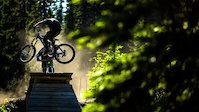
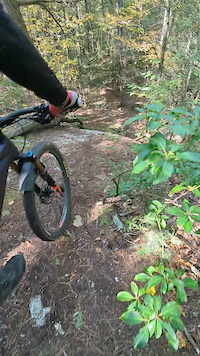
Yer i was talking about your saturation example (motorbike footage), I saw a slight increase in green saturation and a decrease in red saturation as well as a hue change in the form of the yellow tint and Red shirt to blue shirt.
Curves is different again, that is Gamma and it's basically changing the overall luminance values of all colour channels without clipping the whites or the blacks (Assuming you are adjusting the entire RGB curve).
Going to check out your link now.
Curves is different again, that is Gamma and it's basically changing the overall luminance values of all colour channels without clipping the whites or the blacks (Assuming you are adjusting the entire RGB curve).
Going to check out your link now.
- + 1
I'm trying to think back when I did this...
To promote 'color theory', I changed the color of the shirt to blue, that way there's red greens and blues.
Then for the overall brightness, I used curves to level it out.
Then I warmed the mid-tones using 3-way color wheel.
Then I added the top and bottom shadow roll-off if you call it??? Added a luminance punch by making a circle following the biker to make the center of attenction go to the rider.
Then image stabilization.
You use final cut so I don't know how to have this color correction stuff explained to you, but in Avid, you litereally enter a "color correction mode", here is that mode in this clip that has before and after: www.pinkbike.com/video/137341
You'll see it at the end of the clip. It gives me curves, hue sat brightness contrast, and 3-wheel, and it gives me whatever I want to display in the three windows such as (previous image, refrence image, vectorscope and waveform)
To promote 'color theory', I changed the color of the shirt to blue, that way there's red greens and blues.
Then for the overall brightness, I used curves to level it out.
Then I warmed the mid-tones using 3-way color wheel.
Then I added the top and bottom shadow roll-off if you call it??? Added a luminance punch by making a circle following the biker to make the center of attenction go to the rider.
Then image stabilization.
You use final cut so I don't know how to have this color correction stuff explained to you, but in Avid, you litereally enter a "color correction mode", here is that mode in this clip that has before and after: www.pinkbike.com/video/137341
You'll see it at the end of the clip. It gives me curves, hue sat brightness contrast, and 3-wheel, and it gives me whatever I want to display in the three windows such as (previous image, refrence image, vectorscope and waveform)